
Opening: why compare, quickly and honestly
For OEM and project buyers, choosing a TV maker isn’t just about panel size and price — it’s about supply rhythm, firmware, and whether the partner can hit a deadline when your site needs screens installed, lah. Start by lining up practical, comparable criteria, then cut through marketing bluster. If you’re also sourcing workstation combos for control rooms or kiosks, you might spot useful bundles over at all in one computer deals, which can change the total project equation fast.
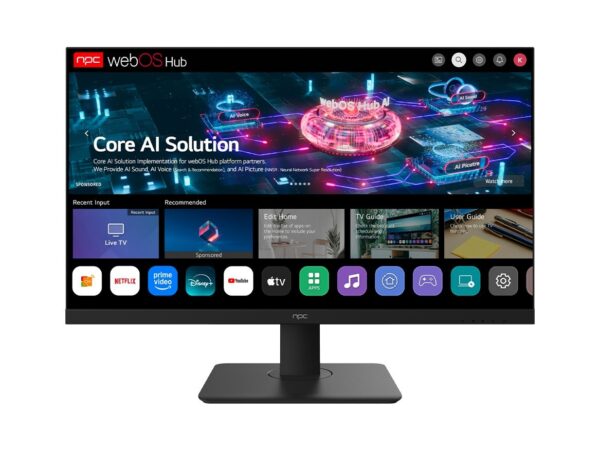
Comparative framework: the five things every buyer should weigh
Keep the comparison tight: panel type and vendor, SoC and middleware, brightness/ICR (for signage), manufacturing lead time and MOQ, and after-sales support. Score suppliers against these five criteria. A vendor with a cheaper panel but slow firmware updates can cost you more during deployment—no point saving on the product if integration drags on, lor.
Panel and component suppliers: how differences matter
Panels and backlights set the baseline: VA for deeper blacks in hospitality, IPS for wide viewing in conference rooms, high-brightness kits for window-facing lobbies. Know which panel houses a manufacturer sources from; some factories switch suppliers seasonally to chase price, and that yields inconsistent color calibration. Ask for panel vendor names, firmware versioning policy, and a recent calibration report before you sign.
Software, integration and certification
Software kills or saves projects. Prioritise vendors that provide documented APIs, remote management tools, and OTA update paths. Require proof of CE/CB/ETL where relevant and ask for UL-equivalent reports if you’re deploying in North America. Ask for a firmware rollback plan — projects suffer most from a bad OTA pushed across hundreds of displays.
Price, MOQ and logistics realities
Don’t assume unit price tells the whole story. MOQ, production batching, packaging needs, and freight type change landed cost dramatically. Negotiate flight shipments for first articles to validate quality, then switch to sea for full runs. Insist on a clarified Incoterm and sample acceptance window; vague lead times become excuses when a venue opens, you see.
Common pitfalls buyers trip over
They skip real-world testing, accept single-sample approval, or ignore power and mounting compatibilities until installation day. Avoid bespoke UI gates that lock you into supplier tooling. Also, don’t forget warranty scoping: many warranties exclude installation labour and international freight — get clarity on return-routing and RMA SLA, otherwise downtime hits your reputation.
Experience and sourcing anchor
Having worked with OEM buyers across Hong Kong and the Shenzhen manufacturing hub, I’ve learned the practical checks that reduce surprises: request batch serial tracking, run a 72-hour stress test, and verify third-party lab certificates. For buyers balancing displays and integrated workstations, it’s worth scanning current all in one desktop computer deals offerings to see where bundled supply simplifies logistics and support. This kind of on-the-ground sourcing knowledge saves time and money on large rollouts.
Alternatives and trade-offs
White-label TV makers offer low cost but limited firmware support; name-brand manufacturers usually give longer-term parts availability and better global warranty reach. If your project requires central device management, prioritise vendors that either supply their MDM or support common management standards. Where space or local regulation is tight, consider all-in-one systems as a compact alternative — fewer boxes, simpler cabling, fewer points of failure.
Final synthesis — practical next steps
Compare suppliers with the five-point checklist, demand firmware and panel provenance, and stage a short pilot before full production buy. Align logistics (MOQ, Incoterm, freight) with your rollout timeline so surprises don’t block installations. For projects where displays sit beside integrated computing needs, consider a supplier ecosystem that covers both sides — it’s what experienced buyers often prefer when they need clean, predictable deployments, and that’s the kind of support you can expect from npc.